

Knowt is a good starting point if you want familiar Quizlet-style practice without paying for Learn. Choose Anki for detailed control over your reviews, Flexi for building a personal vocabulary deck, RemNote for studying from your notes, or Gizmo for game-like quizzes.
The useful distinction is what happens after you make a set. Do you want to type answers before an exam, review a growing collection over months, or turn unfamiliar words into cards you can actually use? These five apps take different approaches to those tasks. Here’s what each offers, where its free plan stops, and what to check before moving your cards.
Quizlet alternatives at a glance
| App | Choose it for | Main free-plan consideration |
|---|---|---|
| Knowt | Familiar Learn, Test and Match practice | Core study modes are free on your own sets; AI tools have limits and ad-free use requires Ultra |
| Gizmo | Game-like recall and quizzes with friends | Free card creation; Memorise uses hearts, while Flashcards only does not |
| Anki | Configurable cards and long-term review | Desktop and Android are free; the official iPhone app is paid |
| Flexi | Personal vocabulary with meanings, examples and pronunciation | Free download; Premium adds tools including AI Tutor, images and topic-based vocabulary |
| RemNote | Notes and flashcards in the same workspace | Unlimited basic notes and cards; PDF annotation, image occlusion and AI have limits |
Five Quizlet alternatives for different study goals
Knowt for familiar study modes
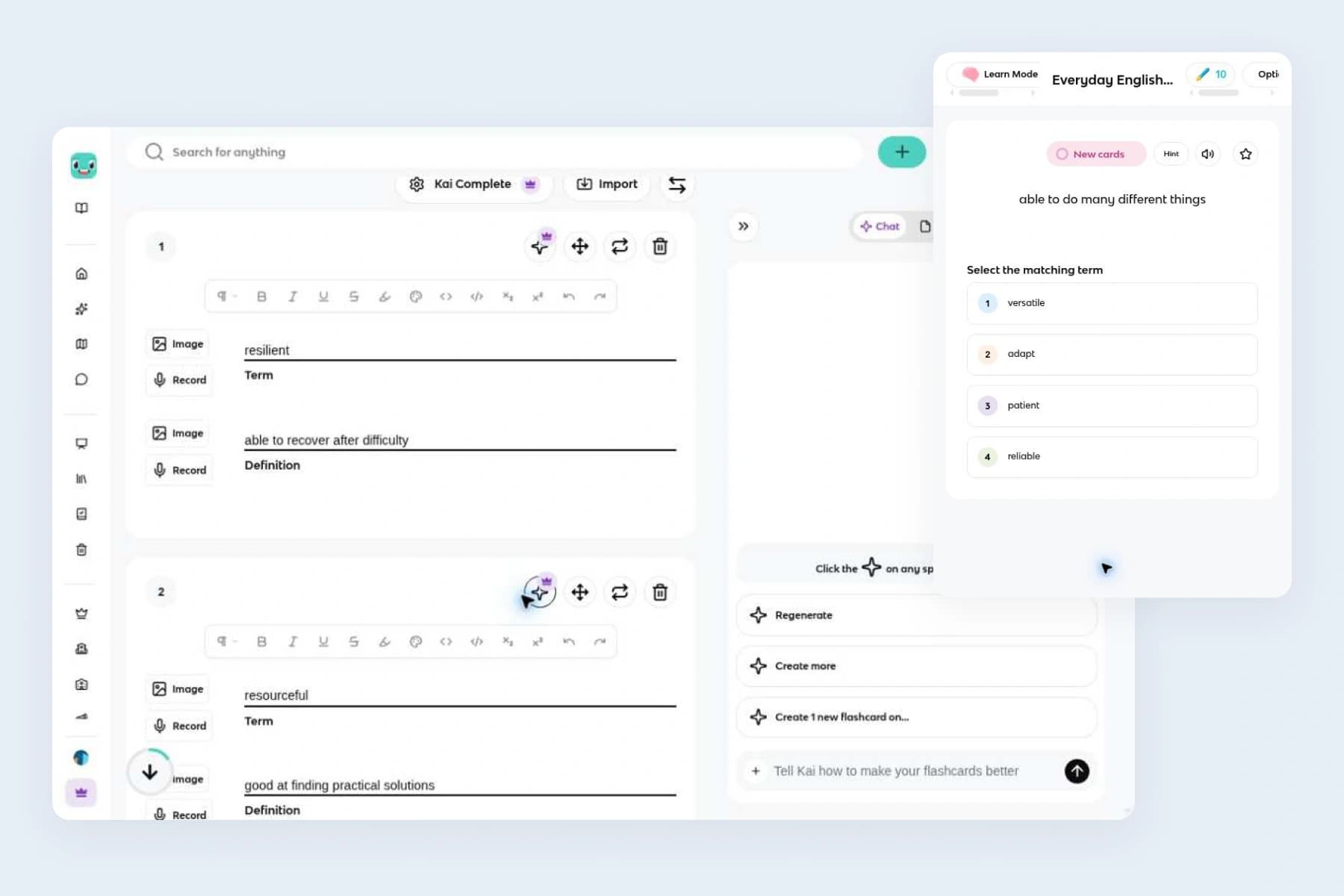
Knowt is the first option to consider if you like Quizlet’s set-based workflow but want more free practice.
-
Study your own sets for free: On your own sets, its free plan includes Learn, Practice Test, Match, Flashcards and Spaced Repetition. You can also create unlimited flashcard sets and notes.
-
Vary your practice: Use the same material in several ways. You might start with multiple-choice questions, switch to written answers, then use a practice test to see which terms still need work.
-
Adjust questions and grading: Learn mode lets you choose question types, answer with either the term or definition, and focus on starred cards. Its written-answer settings are worth a look: smart grading allows small differences, while exact-match grading is available when spelling matters. You can also retype missed answers or override an answer marked wrong when its meaning was correct.
The main catch is that free study modes do not make every Knowt feature unlimited. The free plan includes one AI summarizer use per month; ad-free use and expanded AI tools require Ultra. That matters more if you plan to generate study packs from recordings than if you mainly review cards you already wrote.
Gizmo for game-like recall practice
Gizmo is worth considering if you want flashcards to feel more like a quiz.
-
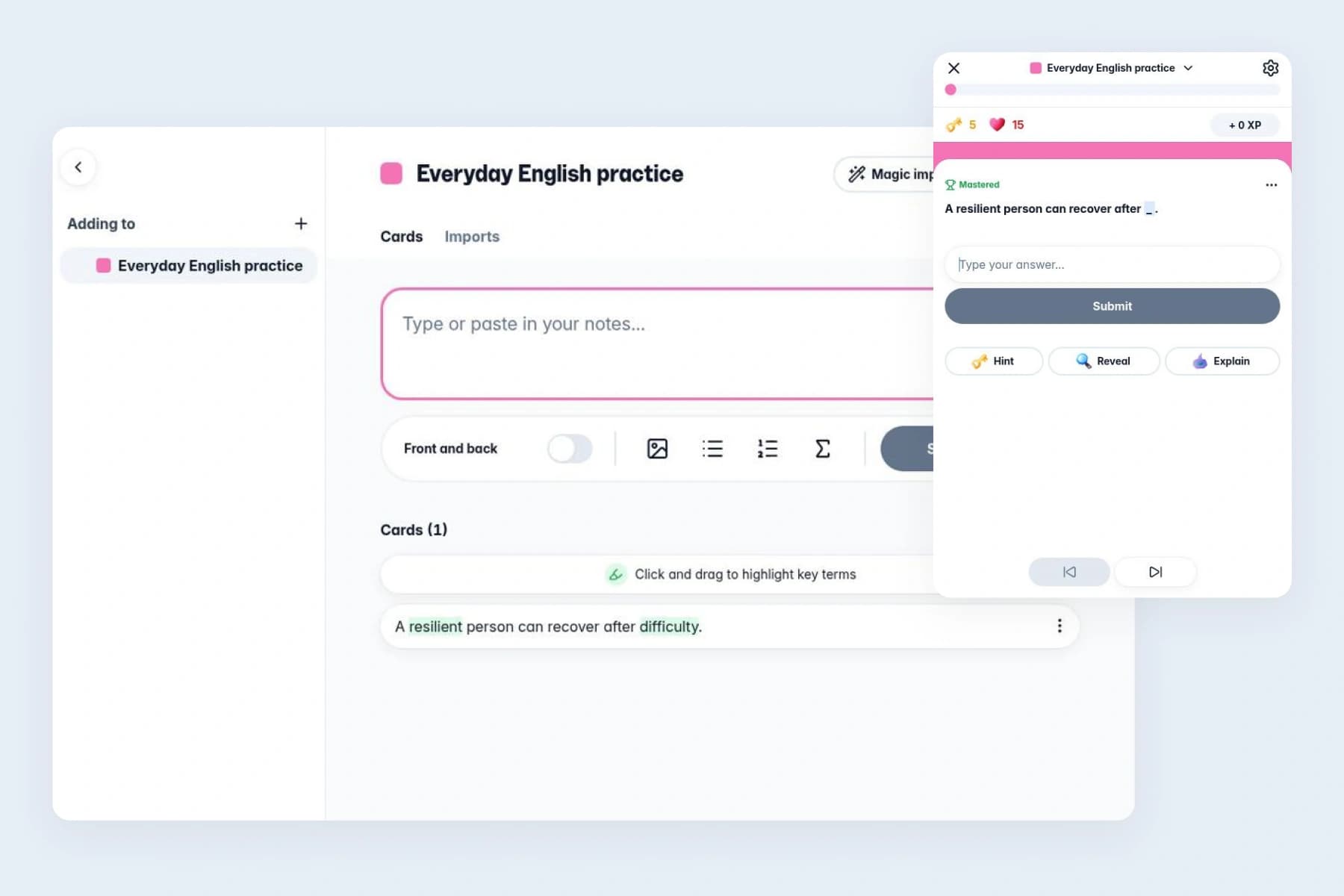
Mix question formats: Its Memorise mode combines spaced repetition with question formats such as multiple choice, typing and spoken answers. You can also switch to a conventional front-and-back flashcard format.
-
Choose what to recall: In Gizmo, green highlighting marks the answers you’ll be tested on. On a card saying “Paris is the capital of France,” highlighting “Paris” makes it the answer to recall. Check the highlights after importing cards so you practise the facts you intended.
-
Create or import cards: You can create text cards manually, including pictures, and use Magic Import to generate cards from study material. Some card types have different creation rules: matching and ordering cards currently come through Magic Import.
The free plan includes card creation, Gizmo Live and practice tests, but there are limits around sustained use. Memorise mode starts with 15 hearts; wrong answers use them, and running out means a 10-minute wait. Flashcards only mode does not use hearts. Free Magic Import also has a 20-minute wait between imports.
That makes Gizmo a reasonable pick for someone who enjoys mixed questions and friendly competition. If you want uninterrupted written-answer drilling on a free plan, compare that restriction with Knowt before committing a large collection.
There is also a portability trade-off: Gizmo’s current help page says card export is not available. Keep your original material outside the app if you may want to move it again later.
Anki for control over cards and reviews
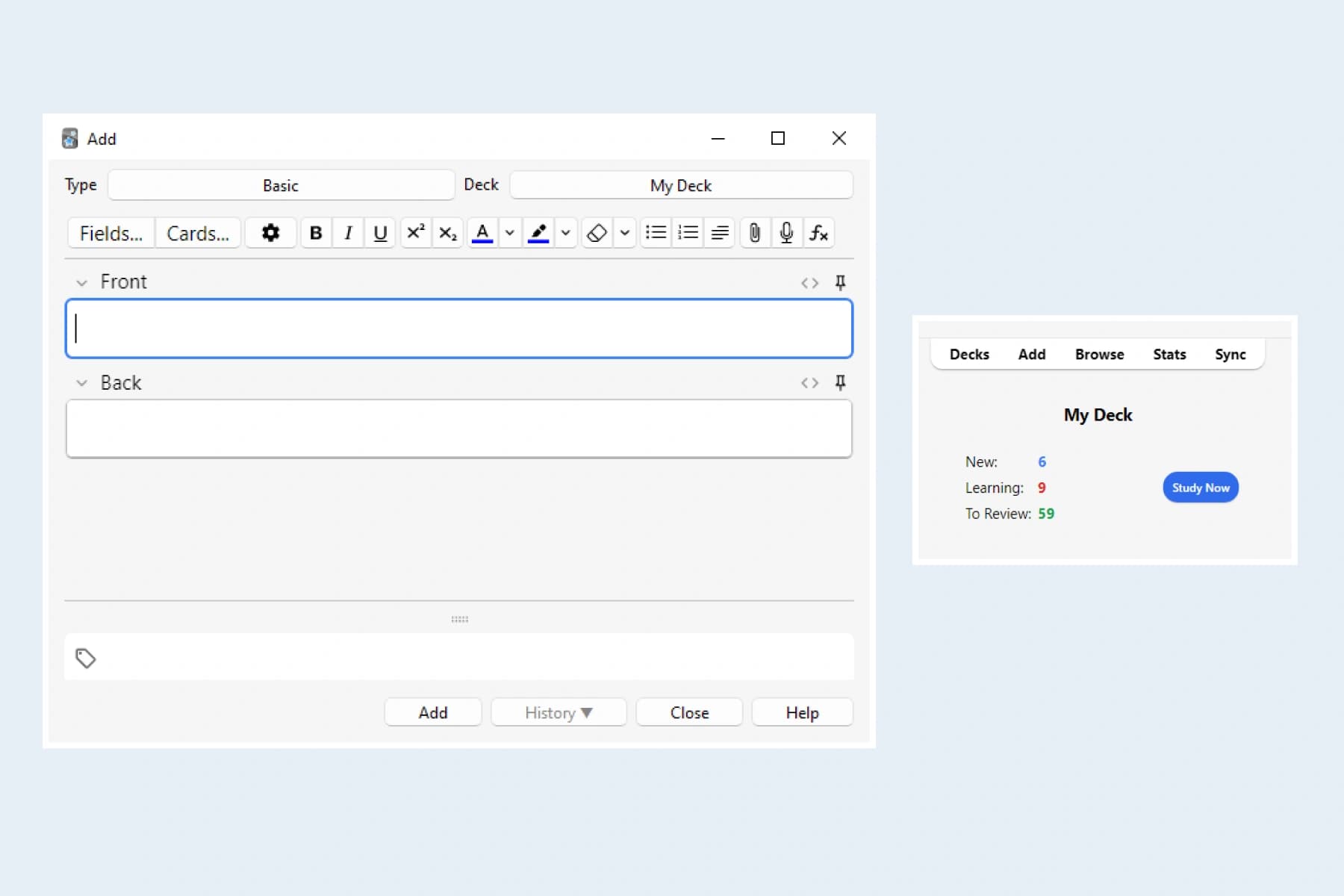
Anki suits learners who want to decide how their cards look and how reviews are scheduled. It supports media-rich cards and customizable layouts, with AnkiWeb providing synchronization across devices.
-
Rate your recall: Its basic study loop is straightforward: read the question, recall the answer, reveal it, then rate how well you remembered it. Again means you forgot; Hard means you recalled the answer with difficulty. That distinction is important because your ratings affect later reviews.
-
Tune your review schedule: Anki also supports FSRS, a scheduler that can use your review history to adjust its parameters. You can change your desired retention, but a higher setting generally creates more review work. The practical benefit is control over that trade-off, rather than a promise that you will remember everything.
-
Build up your card layout: For a simple vocabulary deck, start with a basic card type before exploring templates and add-ons. If you later need separate fields for a word, meaning, example or audio, the same collection can grow with those requirements.
That flexibility comes with more settings to learn. Anki is a strong choice when you want that control; Knowt may be a closer fit when you primarily want ready-to-use quiz modes.
Anki’s desktop apps and AnkiDroid for Android are free. The official AnkiMobile app for iPhone and iPad is a paid purchase. If you like the review approach but want a different interface, our guide to Anki alternatives covers other options.
Flexi for building a personal vocabulary deck
Flexi is designed for language learners who want to remember words and expressions they encounter in everyday life and the content they enjoy. It helps turn that vocabulary into editable cards with meanings, examples and pronunciation support.
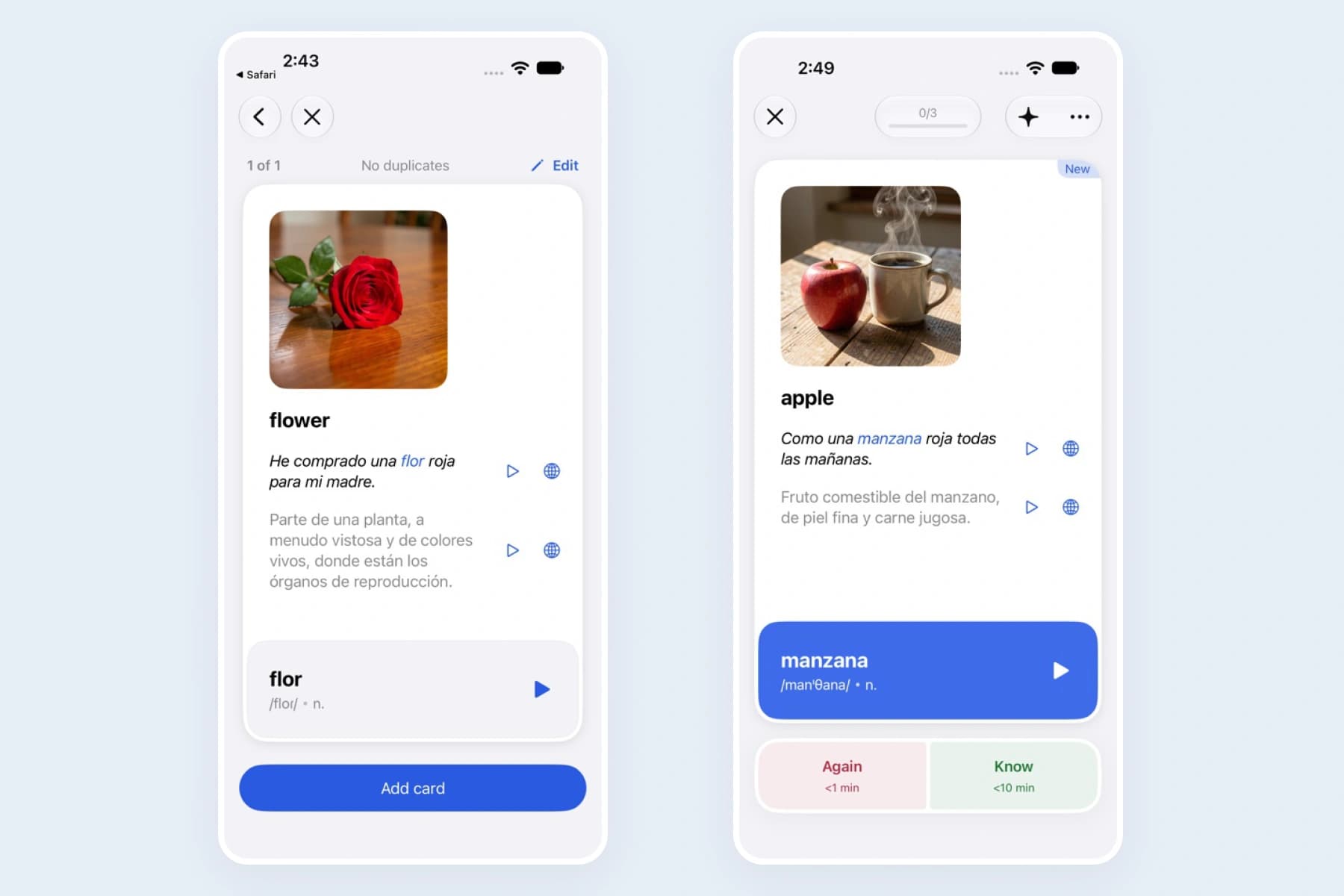
Enter a word or short expression and Flexi’s AI generates cards for its different meanings, with translations and examples you can edit. You can keep the meanings you need instead of putting every possible translation on one card. A word such as “charge,” for example, needs context if you want to distinguish a fee from charging a battery.
Generating text cards from your own words or lists is free, as is basic text import from Anki or Quizlet. Premium adds image generation, topic-based vocabulary and other features.
-
Add detail and schedule reviews: Cards can include translations, examples, definitions, parts of speech and written pronunciation guides where supported. Word audio is available without Premium; audio for examples and definitions is a Premium feature. For review, Flexi uses FSRS, the spaced-repetition algorithm also available in Anki. It schedules future reviews based on how well you recall each card.
-
Recall words from context: When recalling a word in your learning language, you can use an example sentence with the answer hidden by a spoiler effect. You can also hide the translation when an example, definition or image provides another clue.
-
Choose your review controls: Basic mode gives you two ratings, Again and Know, and supports swipe-based reviews similar to Quizlet. Advanced mode offers the four Anki-style buttons Again, Hard, Good and Easy; swipes are disabled in this mode.
-
Practice producing the answer: You can also turn on an option to type your answer before revealing the card, then compare what you wrote with its answer. This lets you practice producing a word instead of only checking whether you recognize it.
Flexi is available on iPhone and iPad, as well as Android.
Flexi is a focused option when your main task is turning personal vocabulary into useful cards. If your priority is organizing lecture notes or practicing a teacher’s flashcard set, RemNote or Knowt is likely a closer match.
Whichever card-creation method you use, review the meaning and example before saving. An AI-generated card is a starting point you can edit, especially for words with several senses.
RemNote for studying directly from notes
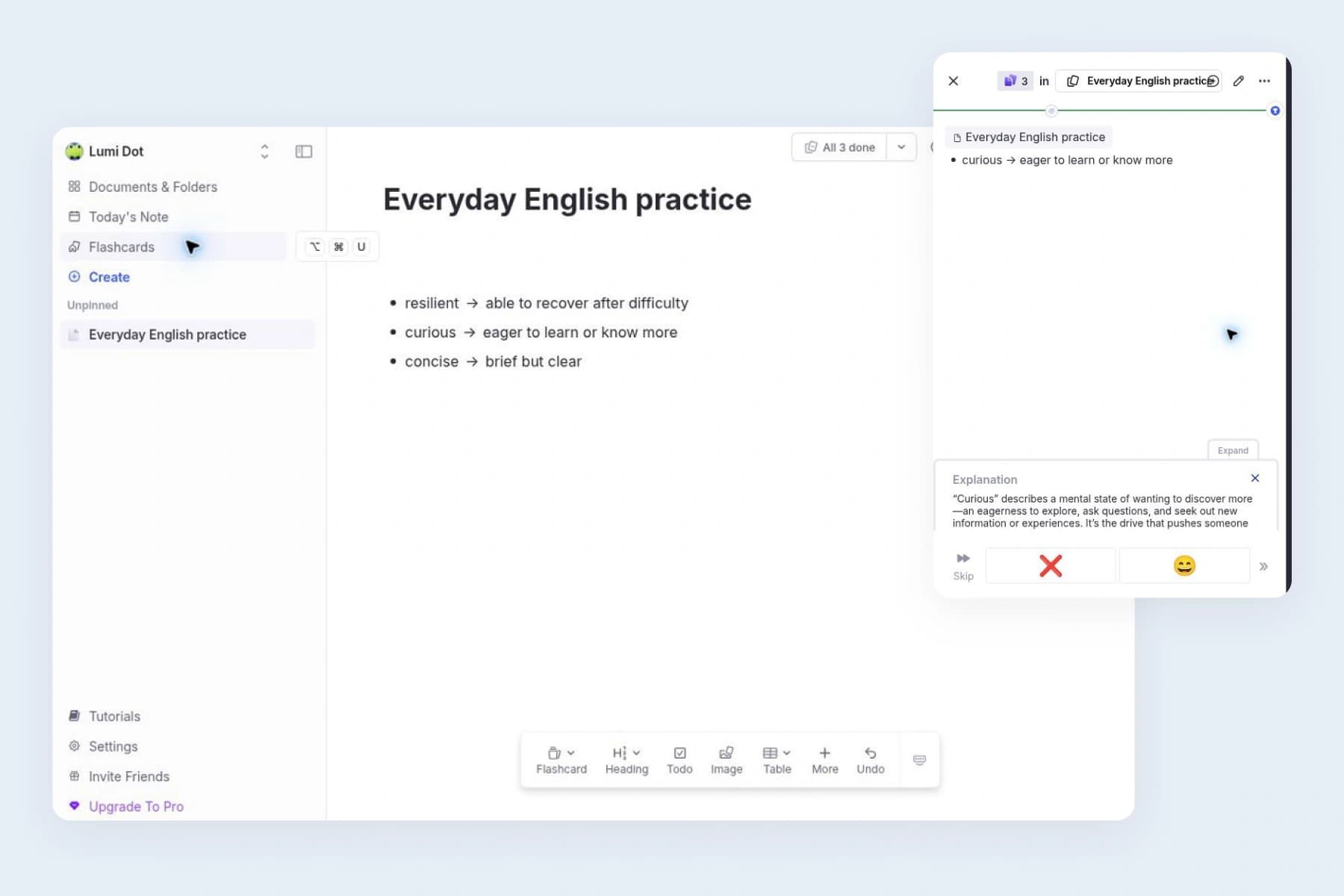
RemNote makes sense if you currently write notes in one app and copy their key points into Quizlet. Its flashcards live inside an outline, so making a card can be part of writing or revising the note.
-
Make cards as you write: To create a basic card, type your question, then
>>, then the answer. RemNote converts that line into a flashcard. You can also make reverse cards, cards in both directions, fill-in-the-blank cards and other formats. During review, the surrounding outline can provide context for the question. -
Keep the surrounding context: That is useful when the same short question means different things in different chapters. You can keep the course, topic and explanation together rather than repeating all that context on every card.
-
Sync notes and cards for free: The free plan includes unlimited notes and flashcards, plus synchronization across unlimited devices.
The limits appear around extras: it currently includes three annotated PDFs and image-occlusion cards from up to five images, while AI use has its own allowance. Check those limits if textbook diagrams or automatic card generation are central to your routine.
RemNote offers desktop and mobile apps as well as browser access. A sensible first trial is one page of your own notes: turn a few points into questions, review them, and see whether the outline helps you retrieve the answer.
For a short standalone word list, the notes workspace may be more structure than you need. For a course where explanations and flashcards belong together, it is the main reason to choose RemNote.
How to move your own Quizlet flashcards
You can export terms and definitions from your own original Quizlet sets on the website, then use a format your new app accepts. This is a text export of card content; it does not transfer images or review history. Sets copied from other users cannot be exported.
-
Open your original set on the Quizlet website and choose Export from the more menu.
-
Save a text backup before changing separators or formatting.
-
Import a small sample into the new app. Check which side is the question, accented characters, line breaks and duplicate cards.
-
Review that sample on the device you use most before moving the rest.
Anki accepts delimited text files, while RemNote can turn formatted question-and-answer text into cards. Knowt and Gizmo also provide Quizlet import options.
Flexi also supports Quizlet import, so you can bring your existing vocabulary cards into the app and continue studying them there.
Frequently asked questions
Does Quizlet have spaced repetition
Yes. Quizlet offers Spaced Repetition on its website. You reveal each answer, rate your recall and work through the cards due for review. Its current help page says the feature is web-only, so the relevant comparison is whether an app’s review workflow is available where you want to study.
Is Anki free on Android and iPhone
On Android, AnkiDroid is free. On iPhone and iPad, the official AnkiMobile app is paid. The desktop versions and AnkiWeb synchronization are free; AnkiWeb also provides browser-based study. Use the links on the official download page to find the correct apps.
Which Quizlet alternative works well for language learning
Flexi is a focused choice for building vocabulary cards with meanings, examples and pronunciation support. Anki is worth considering if you want to design your own card layouts and review settings. Knowt is useful when your immediate goal is practicing a class word list with written or multiple-choice answers. Choose according to how you create and use your vocabulary, rather than the number of features.
Can I transfer every Quizlet set to another app
Quizlet’s own export tool supports original sets you created, but not sets copied from another user. Each destination app has its own import process, so try a small sample before moving your collection.