

What are the best Anki alternatives? Your ideal choice depends entirely on your specific study goals: RemNote is especially strong for university students combining notes with flashcards, Flexi provides automated card creation optimized for language learners, and Quizlet remains a highly accessible option for pre-made community decks.
If you want the benefits of spaced repetition without the technical friction, you need a modern replacement. We analyzed the top flashcard apps on the market to help you find the exact tool for your workflow.
Why Look for an Anki Alternative?
Users typically abandon Anki to avoid its steep learning curve and mobile friction, replacing manual data entry with modern, automated learning platforms.
While Anki remains a spaced repetition powerhouse—recently upgrading to the highly efficient FSRS algorithm—it still demands massive manual effort. Students and language learners often spend hours formatting text, cropping images, and hunting for audio files.
Mobile access adds another layer of friction. The official AnkiMobile iPhone app costs $24.99, lacks third-party add-on support, and functions primarily as a desktop companion rather than a standalone tool.
Combined with AnkiWeb's media sync limits, these hurdles drive users toward modern alternatives that offer seamless cloud syncing, intuitive interfaces, and AI-driven flashcard generation.
The 6 Best Apps Like Anki
1. RemNote: Best for Note-Taking & University Students
What is RemNote? RemNote is an all-in-one knowledge base that automatically generates spaced repetition flashcards directly from your bulleted notes and study materials.
For university students handling massive volumes of information, creating separate notes and flashcards is inefficient. RemNote bridges this gap. By typing a simple symbol like >>, any bullet point in your document transforms into a testable flashcard.
Because the flashcards live directly inside your notes, you never lose the original context of the information. When you review a card, you can easily click back to the full lecture document to refresh your memory.
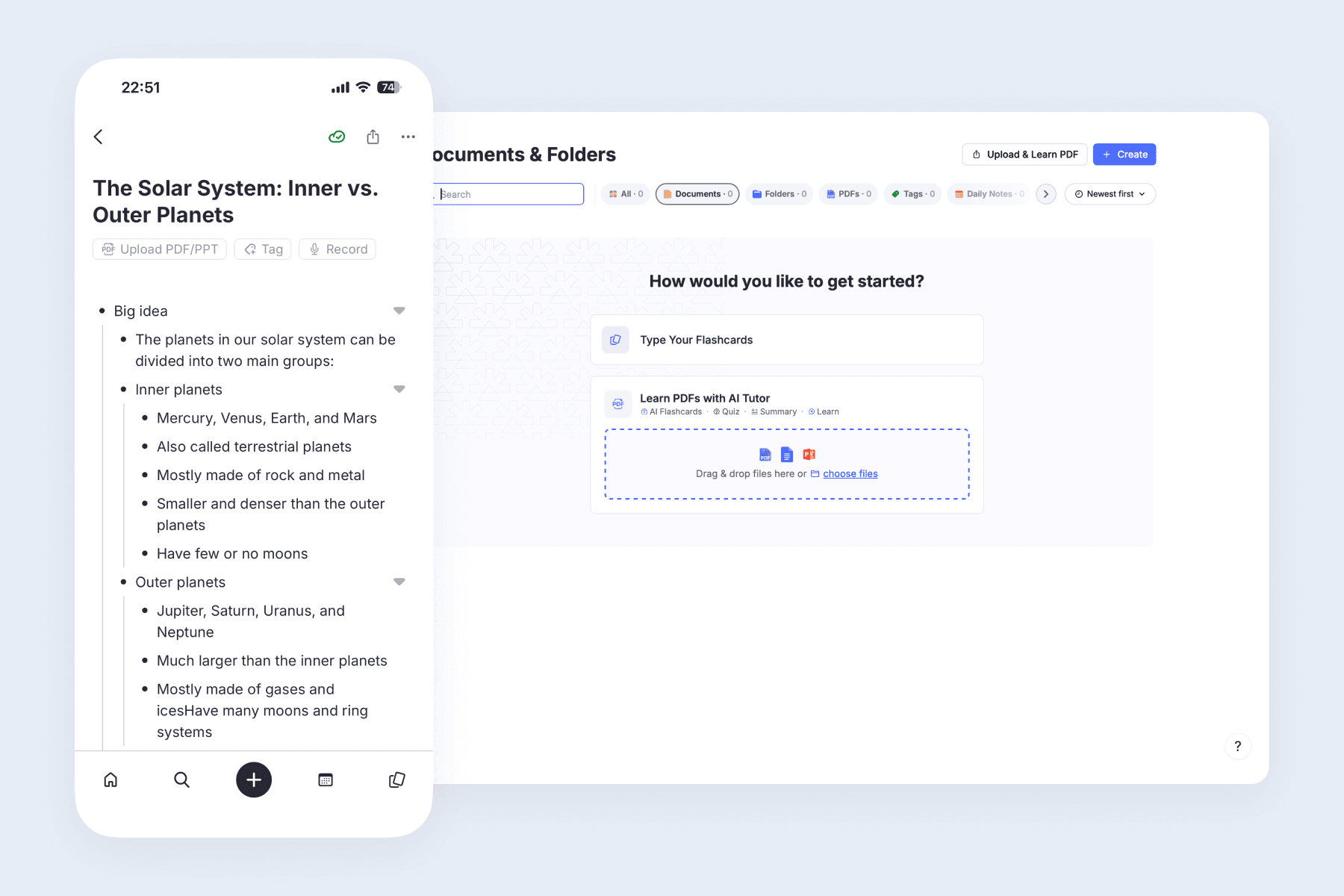
Key Features for Students:
- Generate cards from notes: Create flashcards instantly while typing out your daily lecture summaries without opening a separate app.
- Annotate study materials: Upload textbook chapters, highlight key paragraphs, and convert those highlights into flashcards (advanced PDF tools may require a Pro subscription).
- Link concepts logically: Build a network of connected ideas using bidirectional linking to map out complex academic subjects.
2. Flexi: Best for Language Learning & AI Automation
What is Flexi? Flexi is an AI-powered vocabulary flashcard app designed specifically to eliminate the friction of manual deck creation for language learners.
Instead of typing translations and hunting for audio files, simply input a target word or paste a list. Flexi instantly generates comprehensive flashcards featuring accurate translations, natural example sentences, relevant images, and native audio.
While Flexi runs on the exact same highly efficient FSRS algorithm as Anki, it modernizes the user experience. You can seamlessly switch between a simple two-button swipe mode (Again/Know) for quick mobile sessions, or an advanced four-button layout for precise, Anki-style control.
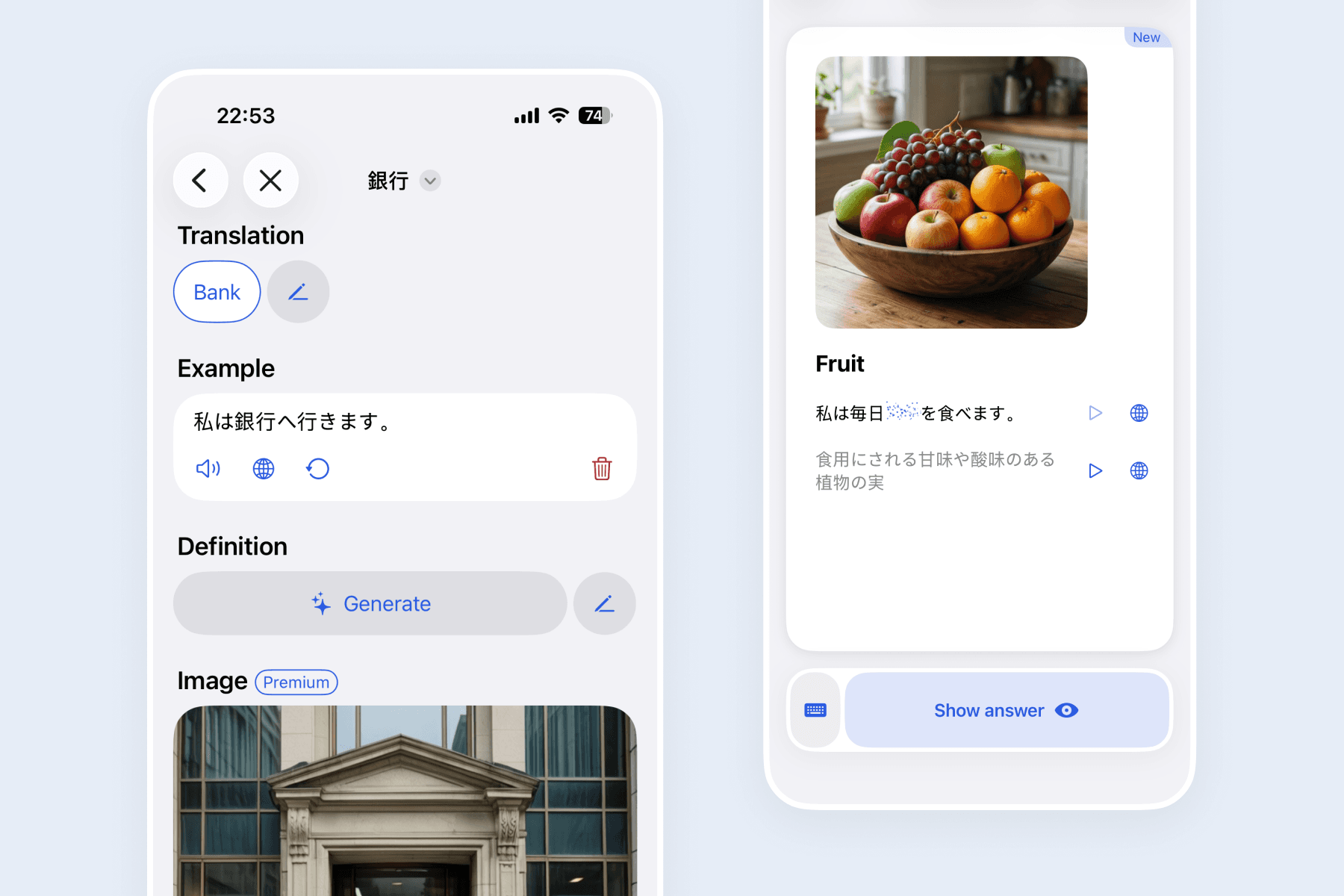
Key Features for Language Learners:
- Generate cards instantly: Input a single word, paste a list, or request a specific topic to automatically build context-rich flashcards.
- Master pronunciation: Listen to clear, native Text-to-Speech (TTS) audio available in over 20 languages directly out of the box.
- Interact with AI: Ask the built-in AI Tutor for nuance explanations, grammar rules, or personalized feedback without leaving the flashcard.
- Import seamlessly: Move your existing Anki or Quizlet decks directly into Flexi to upgrade your review interface immediately.
3. Quizlet: Best for Shared Community Decks
What is Quizlet? Quizlet is a consumer-friendly study platform known for its massive library of over 700 million digital flashcard sets created by users worldwide.
If you are studying for a standardized test or a common school subject, chances are someone has already created a Quizlet deck for it. The platform excels at straightforward practice and offers interactive study modes, including multiple-choice quizzes.
However, Quizlet’s more advanced personalized study modes are limited on the free plan. This makes it better suited for quick practice and cramming rather than unrestricted long-term spaced repetition.
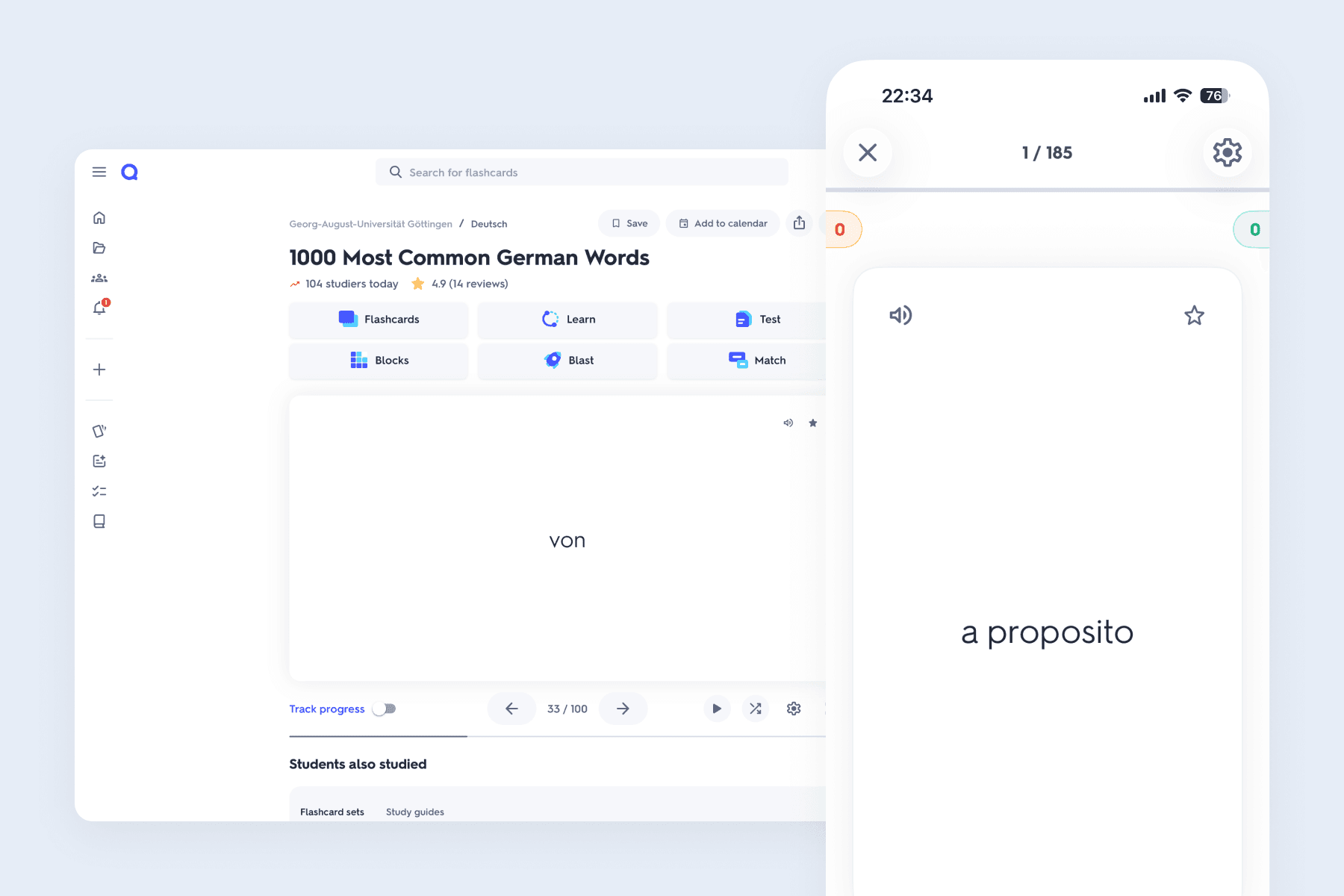
Key Features for Quick Study:
- Search massive libraries: Find pre-made decks for nearly any topic, textbook, or standardized exam quickly.
- Play learning games: Engage with your material through interactive, gamified study modes to test immediate recall.
- Share with classmates: Send deck links easily to study groups or students without requiring them to install complex software.
4. Obsidian + Spaced Repetition: Best for Markdown Users
What is Obsidian? Obsidian is a highly customizable, locally hosted markdown editor that can replicate Anki's spaced repetition logic through the use of community-built plugins.
For developers, writers, and those with established personal knowledge management (PKM) workflows, Obsidian provides a robust offline environment. By installing the Spaced Repetition community plugin, you can review flashcards directly inside your text vault.
This setup requires technical configuration, making it a viable alternative mainly for users already comfortable with markdown formatting and local file management.
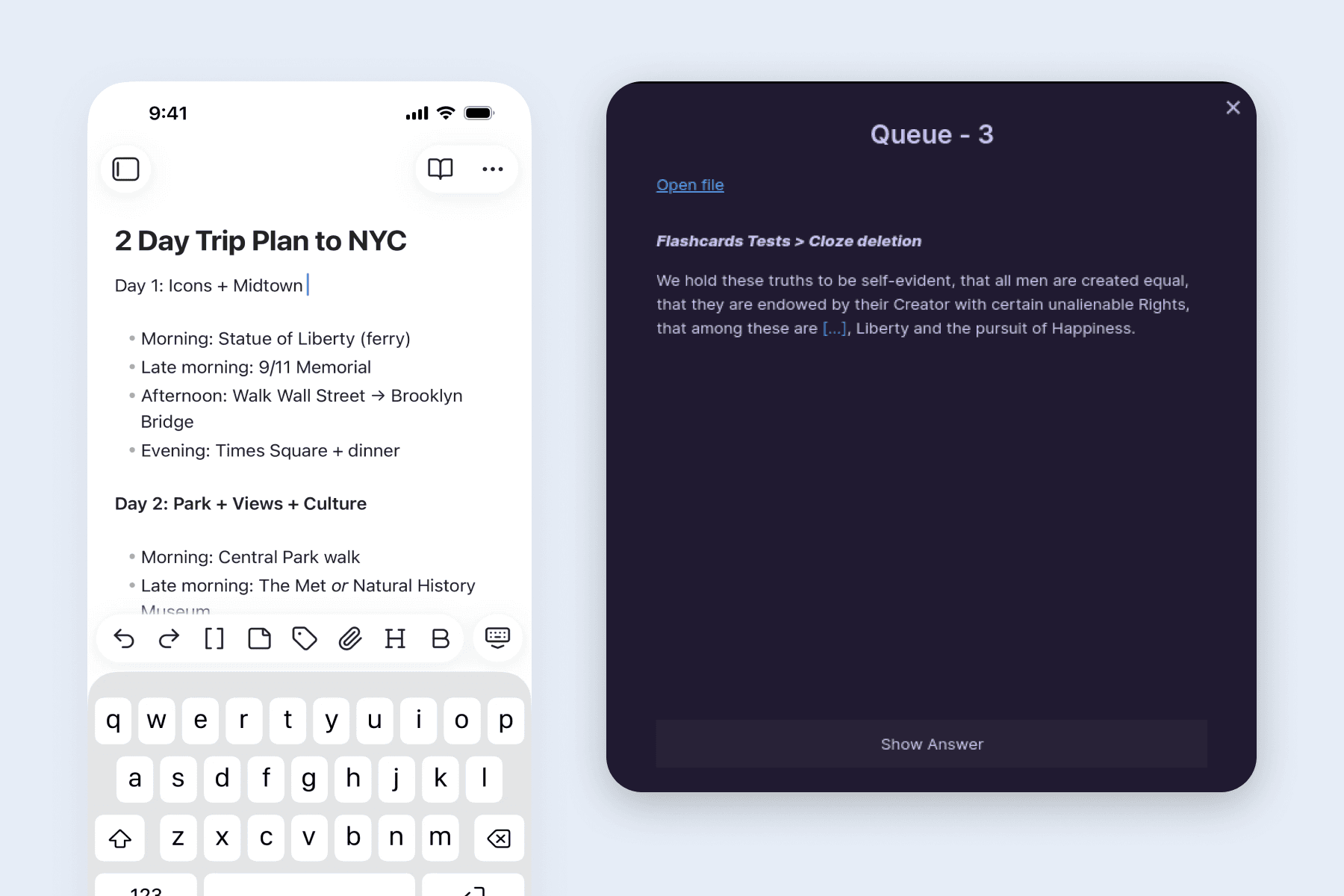
Key Features for Power Users:
- Keep data local: Store your flashcards in local Markdown files, ensuring strong data portability and ownership.
- Customize via plugins: Adapt the spaced repetition algorithm and user interface using open-source community modifications.
- Integrate with daily notes: Review flashcards natively alongside your daily writing and project planning.
5. Brainscape: Best for Curated Premium Content
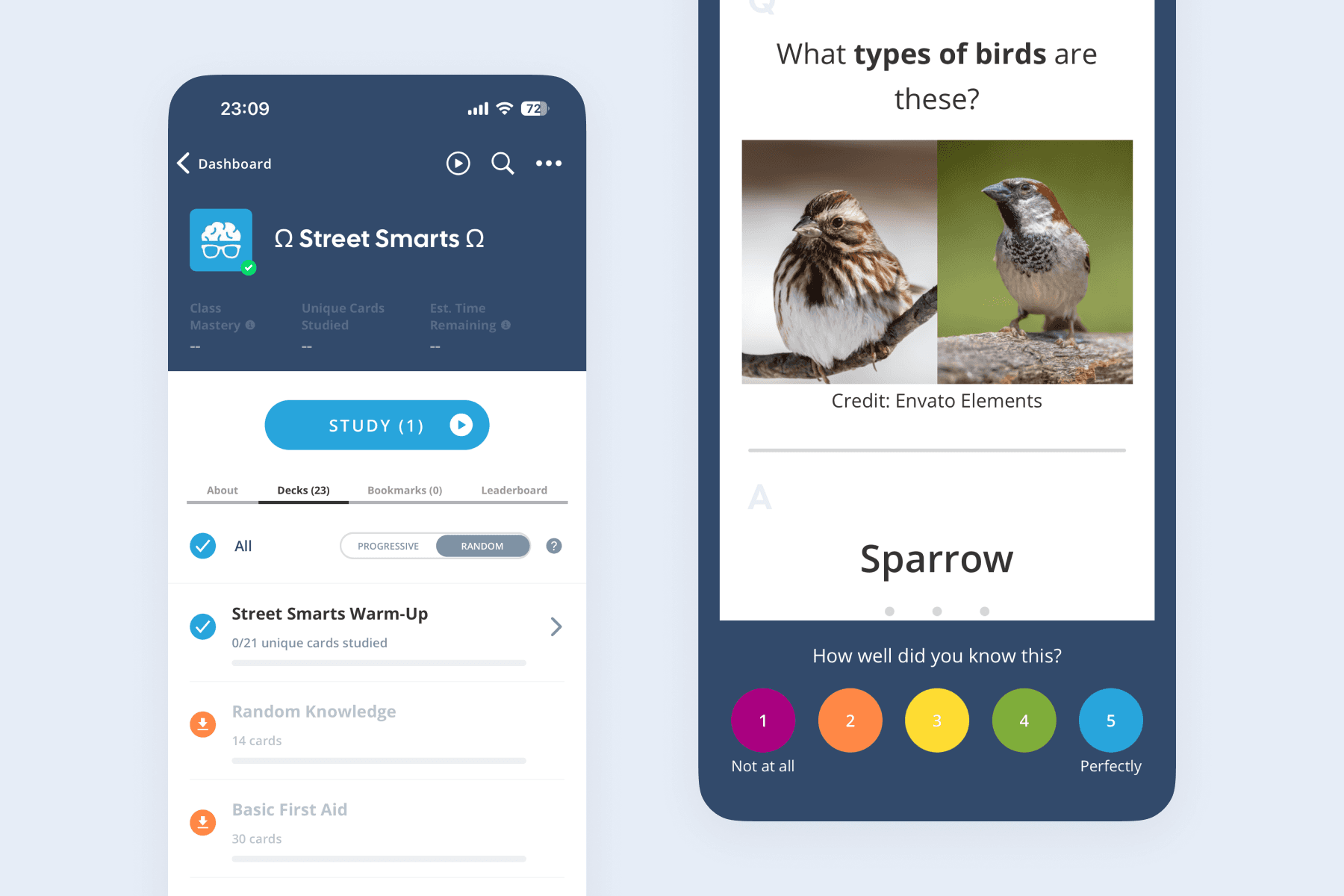
What is Brainscape? Brainscape is a flashcard platform that schedules reviews using a granular 1-to-5 confidence rating scale and offers vetted premium study materials.
Instead of a basic "Pass/Fail" button, Brainscape’s confidence-based system asks learners to rate each answer from 1 to 5. This scheduling engine relies on that self-assessment—as a rough guide, a "1" might repeat in minutes, while a "5" pushes the review out by weeks or months.
The platform's standout feature is its marketplace of "Certified Classes." These are expert-created study materials designed for high-stakes exams like the bar exam, MCAT, or real estate licenses.
Key Features for Professional Exams:
- Rate your confidence: Use a 1-to-5 scale to tell the algorithm exactly how well you know a specific concept to optimize review timing.
- Purchase expert decks: Access meticulously curated, expert-vetted study materials designed by educational professionals.
- Track study metrics: Monitor your mastery percentage and study time across different subjects on a visual dashboard.
6. Memrise: Best for Real-Life Vocabulary Practice
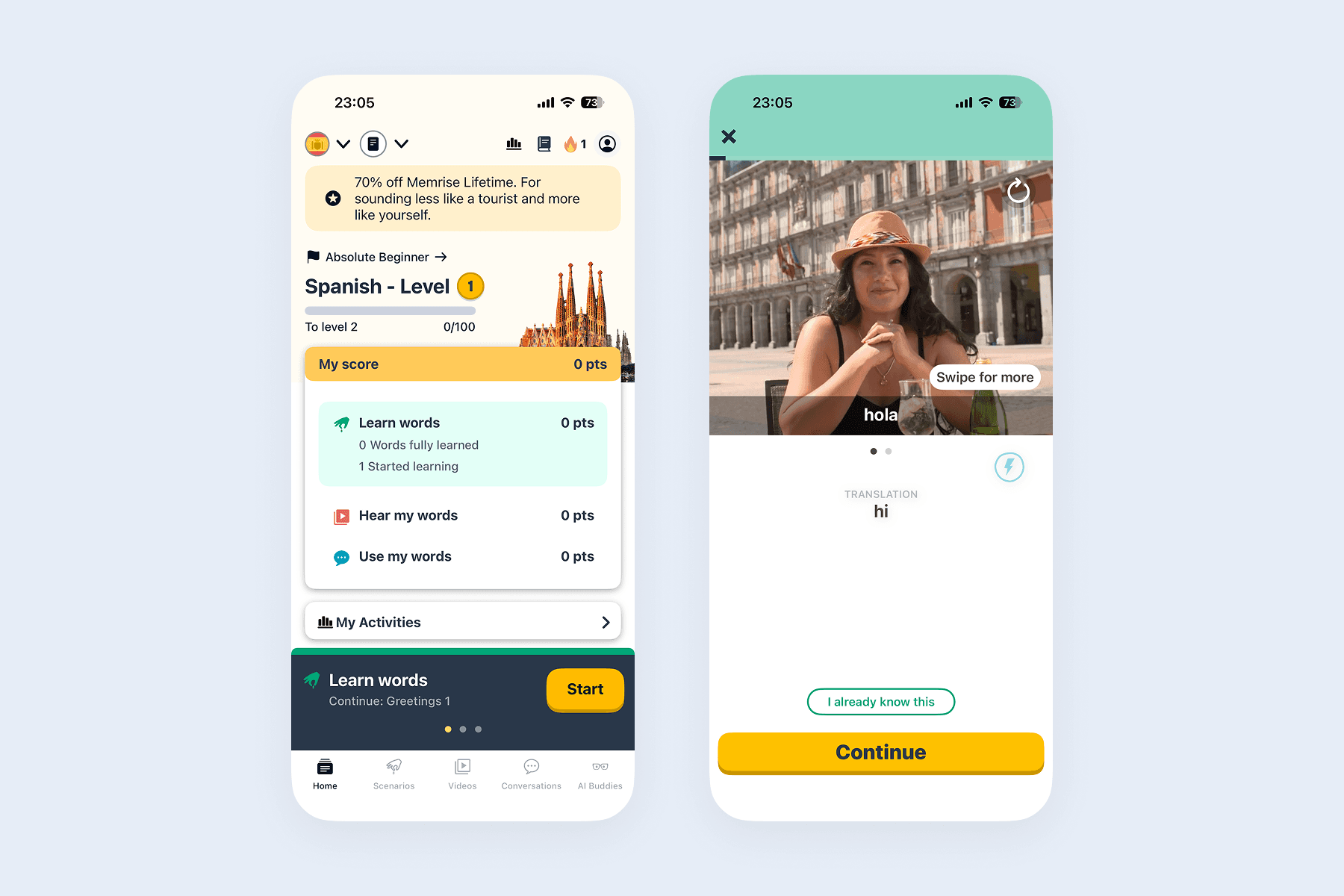
What is Memrise? Memrise is a language learning app that blends spaced repetition with smart reviews and thousands of short video clips of real native speakers.
Rather than acting as a traditional blank-slate flashcard tool, Memrise focuses on applied vocabulary. It helps users connect words to real-world pronunciation, body language, and cultural nuances through cloud-based tools and AI speaking practice.
While it lacks the open-ended deck customization of Anki, it serves as an engaging, structured entry point for learners seeking immersion.
Key Features for Language Acquisition:
- Watch native speakers: Learn exact pronunciation and intonation by watching real people speak your target vocabulary in context.
- Practice through scenarios: Learn vocabulary through real-life situations and topic-based lessons rather than isolated lists.
- Sync across devices: Practice vocabulary through short sessions that update seamlessly across your mobile phone and browser.
How to Choose the Right Flashcard App
Which app is right for you? Choosing the right app depends entirely on your primary study material, technical comfort, and budget. Use this simple decision matrix to finalize your choice:
| Flashcard App | Ideal Use Case | Key Benefit |
|---|---|---|
| Flexi | Language learners | AI automation for audio, examples, and context-rich vocabulary cards. |
| RemNote | University students | Seamless integration between long-form notes and flashcard generation. |
| Quizlet | Casual learners | Quick access to 700M+ pre-made community decks for short-term practice. |
| Obsidian | Power users & devs | Strong data ownership with local markdown files and custom plugins. |
| Brainscape | Professional exams | 1-to-5 confidence rating scale and vetted premium study decks. |
| Memrise | Conversational linguists | Scenario-based vocabulary practice using real-world native speaker video clips. |
Frequently Asked Questions (FAQ)
What is the best Anki alternative for language learning?
Flexi is an excellent choice for language learners seeking automated AI flashcard creation. While Anki requires manual formatting, Flexi instantly generates vocabulary cards complete with translations, natural sentences, and native TTS audio.
What is the best Anki alternative for students?
RemNote is highly recommended for university and medical students. It allows you to automatically generate flashcards from your class notes as you type them, streamlining your study workflow into a single platform.
Anki vs Quizlet: Which is better?
This depends on your study timeline. Anki is better for long-term retention because its spaced repetition algorithm schedules reviews precisely when you are about to forget. Quizlet is better for short-term cramming and quick access to a massive database of pre-made decks.
What is the best free alternative to Anki?
The best free alternative depends entirely on your specific learning goals:
- Search community decks: Quizlet offers a robust free tier for finding user-generated sets.
- Maintain local files: Obsidian combined with community plugins is a powerful, free option for markdown users.
- Learn new languages: Flexi provides a functional free tier optimized specifically for generating AI-powered vocabulary cards.